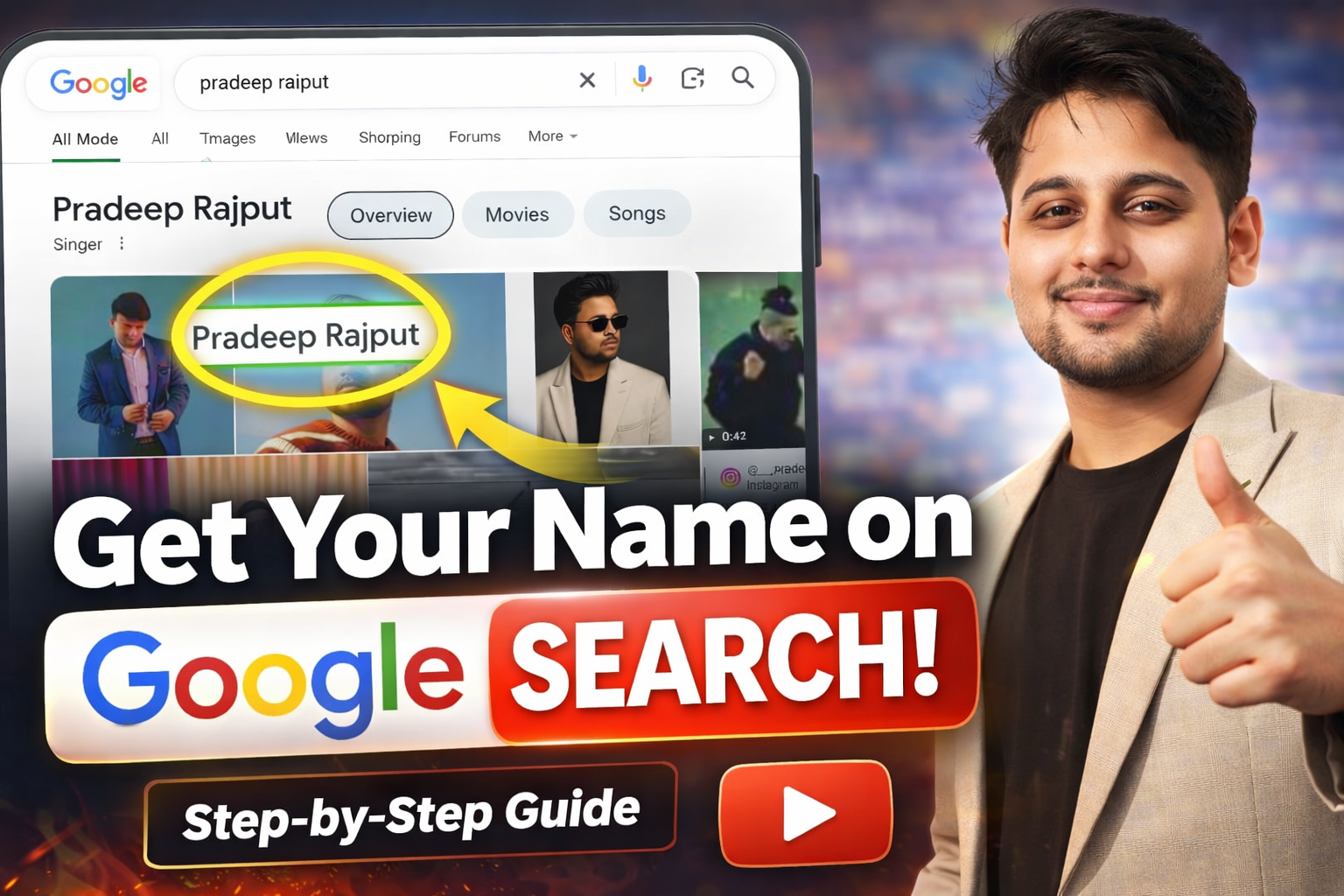
Have you ever typed your own name into Google and found... nothing? Or worse, someone else's profile showed up instead of yours? You are not alone. Millions of students, freelancers, and working professionals across India face the same experience every day. The good news is that getting your name on Google search results is entirely within your control, and it does not require any technical expertise or money to get started.
When someone searches your name on Google, what they find shapes their first impression of you. Whether it is a recruiter screening job applicants, a potential client evaluating freelancers, or a college admissions officer researching candidates — your Google search presence acts as your digital introduction.
Think of it this way: Google is the world's largest reference library, and every person who searches your name is essentially asking that library, "Who is this person?" If the library has nothing to show, you become invisible. If it shows scattered, irrelevant results, you look unprofessional. But if it shows a clean portfolio, strong social profiles, and published content? That changes everything.
This guide walks you through every step needed to rank your name on Google, build a lasting personal brand, and make sure the right information appears when anyone searches for you.
💡 Quick Summary
- ✓What it means: Getting your name on Google means building enough online presence that Google recognizes and displays information about you in search results.
- ✓Why it matters: Recruiters, clients, and colleges routinely Google people before making decisions. Your search presence is your digital first impression.
- ✓Cost: You can start for free using platforms like LinkedIn, Medium, GitHub, and Google Sites.
- ✓Timeline: Most people start seeing results within 2 to 8 weeks with consistent effort.
📑 Table of Contents
📌 What Exactly Is a Google Search Presence?
A Google search presence refers to the collection of web pages, profiles, articles, and digital content that appear in Google's search results when someone types in your name. It includes everything from your social media profiles and personal website to blog posts you have written, interviews you have given, or mentions on other websites.
In simple terms: Your Google search presence is your online identity — the sum of everything the internet says about you. When Google's search engine crawls the web, it collects and indexes publicly available pages. If your name appears on enough credible, well-structured pages, Google starts associating those pages with your identity and displays them when someone searches for you.
Not everyone has a Google search presence by default. If you have never created a public profile, published content, or been mentioned on a website, Google simply has no information to show. That is why building this presence intentionally is so important, especially for students and professionals who are just starting their careers.
🔍 Why Your Name Is Not Showing on Google Right Now
Before jumping into solutions, it helps to understand why your name might be missing from search results in the first place. Here are the most common reasons:
- 🔒 No Public Online Profiles:
If all your social media accounts are set to private, or you simply have not created profiles on major platforms, Google has nothing to index. Search engines can only display publicly accessible information. - 📛 Inconsistent Name Usage:
Using different variations of your name across platforms confuses Google. If your LinkedIn says "Rahul K. Sharma," your GitHub says "rahul_sharma_dev," and your Instagram says "RKS_official," the search engine cannot connect these as belonging to the same person. - 👥 Common Name Competition:
If your name is shared by a celebrity, politician, or established professional, their stronger online presence will dominate the search results. Your content needs to be specific and niche-focused to compete. - 🕸️ No Personal Website or Blog:
Social media profiles help, but a personal website gives Google a dedicated, authoritative page to associate with your name. Without one, you are relying entirely on third-party platforms. - 📝 Zero Published Content:
If you have never written an article, answered a question on Quora, or contributed to any public forum, there is very little text-based content for Google to crawl and connect to your name. - ⏳ Brand New Accounts:
Google takes time to discover and index new pages. If you just created your profiles last week, they probably have not been indexed yet. Patience and consistency matter.
🚀 Step-by-Step Guide to Get Your Name on Google Search Results
This is the core section. Follow these steps in order, and within a few weeks, you should start seeing your name appear when you search for it on Google.
Step 1: Create and Optimize Social Media Profiles
Start with the platforms that Google indexes most frequently and ranks highly in search results:
- LinkedIn: This is often the first result Google shows for a person's name. Fill out every section — headline, about, experience, education, skills, and certifications. Use your full real name exactly as you want it to appear in search results.
- Twitter (X): Create a professional profile with your real name, a clear bio describing what you do, and a link to your website or portfolio.
- Instagram: Switch to a professional or creator account. Use your real name in the display field, not a nickname.
- GitHub: Essential for developers and tech students. Your GitHub profile and repositories are heavily indexed by Google.
- Medium: Create an account and publish at least one article. Medium pages rank exceptionally well on Google.
Important rule: Use the exact same name format on every platform. If your name is "Priya Nair," use "Priya Nair" everywhere — not "P. Nair" on one and "Priya N." on another. This consistency helps Google understand that all these profiles belong to the same individual.
Step 2: Build a Personal Website or Portfolio
A personal website is the single most powerful tool for controlling your Google search presence. It gives you a dedicated web page that Google can index, and you have full control over the content that appears on it.
Here is what your website should include:
- Homepage: A clean introduction with your full name, a professional photo, a short bio, and links to your social profiles.
- About page: A detailed summary of your background, education, skills, and career interests.
- Portfolio or projects page: Showcase your work — academic projects, freelance work, code repositories, design samples, or anything relevant to your field.
- Blog section: Even a simple blog with 3 to 5 articles significantly boosts your chances of ranking on Google.
- Contact page: Include a contact form or professional email address.
You do not need to spend money on this. Free platforms like WordPress.com, Google Sites, Carrd, or GitHub Pages let you create a professional-looking website in under an hour. If you can afford it, buying a custom domain like priyanair.com or rahulsharma.in makes your site look more professional and improves search ranking.
Step 3: Use Basic SEO to Help Google Find You
Search Engine Optimization sounds complicated, but for personal branding purposes, you only need to focus on a few basics:
- Page title: Your website's title tag should include your full name. For example: "Priya Nair — Web Developer & Designer."
- Meta description: Write a short, clear description that includes your name and profession. This is what appears below the link in Google search results.
- Heading tags: Use your name in the main heading (H1) of your homepage. Use H2 and H3 tags for sections.
- Alt text on images: Add descriptive alt text to your profile photo and project images.
- Internal linking: Link your About page to your Portfolio, and your Blog posts to your Homepage. This helps Google crawl and understand your site structure.
You do not need any SEO software or technical expertise. Just make sure your name, profession, and location appear naturally throughout your website content.
Step 4: Publish Content Regularly
Content creation is where the real magic happens. Every article, blog post, or public answer you write is a new page that Google can index — and every new page is another chance for your name to appear in search results.
Here are practical ways to start publishing content:
- Write 2 to 3 blog posts per month on your personal website about topics related to your field.
- Publish articles on Medium or LinkedIn Pulse with your name in the author byline.
- Answer questions on Quora using your real name — detailed, helpful answers rank surprisingly well on Google.
- Contribute guest posts to other blogs or websites in your industry.
- If you are a developer, write documentation or tutorials on GitHub or Dev.to.
The content does not need to be groundbreaking. Writing about what you are learning, sharing project updates, or summarizing industry trends is more than enough to build a strong content footprint.
Step 5: Build Backlinks to Your Profiles and Website
A backlink is simply a link from another website to yours. When reputable websites link to your content, Google sees it as a vote of confidence and ranks your pages higher.
Practical ways to earn backlinks:
- Cross-link your own profiles: Add your website URL in your LinkedIn, GitHub, Twitter, Medium, and other bios. These are the easiest backlinks to create.
- Guest blogging: Write articles for other websites in your niche and include a link back to your portfolio in the author bio.
- College or university listings: If your university has a student directory or project showcase page, get yourself listed with a link to your site.
- Open-source contributions: Contributing to open-source projects on GitHub often results in your profile being linked from project documentation and contributor pages.
- Online directories: Register on professional directories relevant to your field — for example, Behance for designers, Dribbble for UI/UX professionals, or AngelList for startup founders.
🎯 Real Example: How a College Student Built a Google Presence from Scratch
Let me walk you through a realistic scenario to show how all these steps work together in practice.
Ankit Verma is a second-year B.Tech student from Pune who was interested in web development. When he searched his name on Google, nothing relevant appeared — just a few social media results belonging to other people with the same name.
Here is what Ankit did over the course of 3 months:
- Week 1: Created a LinkedIn profile with his full name, college name, and "Aspiring Web Developer" as his headline. Set up a GitHub account and made his profile public.
- Week 2: Built a simple portfolio website using GitHub Pages with his name as the domain (ankitverma.github.io). Added an About section, three college projects, and a blog page.
- Week 3 to 4: Published two articles on Medium — one about his experience learning JavaScript and another comparing different CSS frameworks. Both articles included his full name in the byline.
- Month 2: Started answering web development questions on Quora using his real name. Contributed to two open-source projects on GitHub. Linked all profiles to each other.
- Month 3: Wrote a guest post for a popular Indian coding blog, which included a backlink to his portfolio. Added his Google Scholar profile after publishing a small research paper through his college.
The result? By the end of month 3, searching "Ankit Verma web developer Pune" showed his LinkedIn profile, GitHub page, Medium articles, and portfolio website — all on the first page of Google. He later credited this visibility for helping him land his first freelance project.
❓ Frequently Asked Questions
How long does it take for my name to appear on Google?
It typically takes anywhere from 2 weeks to 6 months. The timeline depends on how competitive your name is, how much content you publish, and how consistently you build your online presence. If your name is fairly unique, results can appear within 2 to 3 weeks. For common names, expect to wait longer and focus on adding location-specific or profession-specific keywords to stand out.
Is it free to get listed on Google?
Yes, completely. Google automatically crawls and indexes publicly available web pages at no charge. You can create profiles on LinkedIn, GitHub, Medium, and other platforms without spending any money. The only optional expense is purchasing a custom domain for your personal website, which typically costs around ₹500 to ₹1,000 per year.
Can I rank my name on Google without a website?
Yes, you can. Platforms like LinkedIn, Medium, GitHub, and Quora have very high domain authority, so profiles and articles on these platforms often rank well on their own. However, a personal website gives you much more control and makes your search results look significantly more professional. For best results, use both approaches together.
Why is someone else showing up when I search my name?
This happens when another person with your name has a stronger online presence — more content, more backlinks, and more platform profiles. To outrank them, focus on creating content that includes your name alongside specific differentiators like your profession, city, or college name. Searching "Rahul Sharma developer Delhi" is much easier to rank for than just "Rahul Sharma."
Do I need to know coding or SEO to get my name on Google?
Not at all. You do not need any technical background. Platforms like WordPress, Wix, and Google Sites allow you to build websites without writing a single line of code. Basic SEO — like using your name in page titles and headings — is straightforward and does not require any specialized training.
Can students get their name on Google?
Absolutely. In fact, students who start building their online presence early have a significant advantage. By the time they graduate and start applying for jobs, they already have a polished digital identity. Creating a LinkedIn profile, contributing to open-source projects, and publishing articles are all free activities that any student can begin today.
Does personal branding on Google help in getting jobs?
Yes, it absolutely does. A 2025 survey by CareerBuilder found that 70% of employers research candidates online before inviting them for an interview. Having a professional Google search presence with a portfolio, published content, and active social profiles can be the deciding factor between you and another candidate with similar qualifications.
📝 Key Points to Remember
- → Your Google search presence is your digital first impression — treat it as seriously as a resume.
- → Consistency matters more than perfection. Use the same name format across every platform.
- → A personal website is the most effective tool for controlling what Google shows about you.
- → Publishing content regularly — even once or twice a month — makes a meaningful difference.
- → Backlinks from other reputable websites accelerate how quickly Google ranks your pages.
- → You do not need money, coding skills, or SEO expertise to get started today.
- → Adding your city and profession alongside your name helps you rank faster if your name is common.
✅ Your Personal Branding Checklist
Use this checklist to track your progress. Complete each item in order for the best results:
- ☐ Create a LinkedIn profile with your full name, professional headline, and complete work/education history.
- ☐ Set up a GitHub profile (for tech professionals/students) or Behance profile (for designers).
- ☐ Create a Medium account and publish your first article.
- ☐ Build a personal website or portfolio using a free platform (WordPress, Google Sites, or GitHub Pages).
- ☐ Add your full name in the page title, meta description, and main heading of your website.
- ☐ Cross-link all your profiles — add your website URL in LinkedIn, GitHub, Twitter, and Medium bios.
- ☐ Publish at least 2 articles or blog posts within your first month.
- ☐ Answer 5 to 10 relevant questions on Quora using your real name.
- ☐ Submit your website URL to Google Search Console for faster indexing.
- ☐ Search your name on Google every 2 weeks to monitor your progress.
⚠️ Common Mistakes Beginners Make (And How to Avoid Them)
- ❌ Using nicknames instead of your real name:
Nicknames and usernames might work for social engagement, but they are useless for personal branding. Google cannot connect "CoolCoder99" to your real identity. Always use your actual, full name on professional platforms. - ❌ Setting all social accounts to private:
If your profiles are private, Google cannot see or index them. Keep at least your LinkedIn, GitHub, and personal website public. You can maintain private accounts on other platforms for personal use. - ❌ Creating profiles and then abandoning them:
An empty LinkedIn profile with no connections does very little for your search presence. Google values active, regularly updated content. Post updates, engage with others, and keep your profiles current. - ❌ Expecting instant results:
Google indexing takes time. Many beginners give up after a week because they do not see immediate results. Stay consistent for at least 2 to 3 months before evaluating your progress. - ❌ Ignoring Google Search Console:
Google Search Console is a free tool that lets you see how Google views your website and request faster indexing. Most beginners do not know it exists, but it is one of the most useful resources available. - ❌ Stuffing keywords unnaturally:
Writing "Rahul Sharma developer Rahul Sharma website Rahul Sharma portfolio" on your page will hurt your ranking, not help it. Use your name naturally within sentences and headings.
💎 Pro Tips for Faster and Stronger Results
Once you have covered the basics, these advanced strategies will help you build an even stronger Google search presence:
- 1. Set up a Google Knowledge Panel:
If you consistently build a strong brand across multiple platforms, Google may eventually create a Knowledge Panel for your name — that information box that appears on the right side of search results. Having a Wikipedia page, Wikidata entry, or being featured in credible news sources increases the likelihood of getting one. - 2. Use Google Scholar for academic visibility:
If you are a student or researcher, publishing papers and creating a Google Scholar profile adds an authoritative academic layer to your search presence. Even publishing a single paper through your college counts. - 3. Leverage YouTube:
Google owns YouTube, and YouTube videos frequently appear in Google search results. Creating even short tutorial videos or vlogs with your name in the title and description can significantly boost your visibility. - 4. Contribute to Wikipedia or Wikidata:
While creating a Wikipedia page about yourself requires meeting notability guidelines, you can contribute to Wikidata or relevant Wikipedia articles in your field. This associates your name with high-authority domains. - 5. Monitor and manage your online reputation:
Set up a free Google Alert for your own name. Every time your name appears on a new web page, you will receive an email notification. This helps you track your growing presence and quickly address any negative or inaccurate information that might appear.
Need Help Building Your Online Presence?
Our team helps individuals and businesses establish a strong search presence across Google and AI search engines. From personal branding strategies to full GEO optimization — we have got you covered.
Get Your Personal Brand Audit🏁 Start Building Your Google Presence Today
Getting your name on Google search results is not a luxury reserved for celebrities or tech influencers. It is a practical, achievable goal for anyone willing to invest a few hours of effort each week. Whether you are a college student preparing for your first job, a freelancer looking to attract clients, or a professional wanting to stand out in a competitive market — your Google search presence is one of the most valuable career assets you can build.
The best part? You can start right now, with zero budget, using nothing more than your laptop and an internet connection. Create your LinkedIn profile today, set up a simple portfolio website tomorrow, and publish your first article this week. Within a few months, when someone searches your name on Google, they will find exactly what you want them to see.
Your name deserves to be found. Make it happen.